> For the complete documentation index, see [llms.txt](https://docs.kastle.cc/llms.txt). Markdown versions of documentation pages are available by appending `.md` to page URLs; this page is available as [Markdown](https://docs.kastle.cc/kastle-wallet-help-center/get-started/connect-a-ledger-hardware-wallet.md).
# Connect a Ledger Hardware Wallet
[Kastle’s browser extension](https://chromewebstore.google.com/detail/kastle/oambclflhjfppdmkghokjmpppmaebego) fully supports **Ledger hardware wallets**, allowing you to manage your **Kaspa Wallet** securely without ever exposing your private keys.
To connect your Ledger, make sure your device has the **Kaspa app installed via Ledger Live**.
***
#### Step-by-Step Guide
**Prepare Your Ledger**
* Connect your **Ledger device** to your computer.
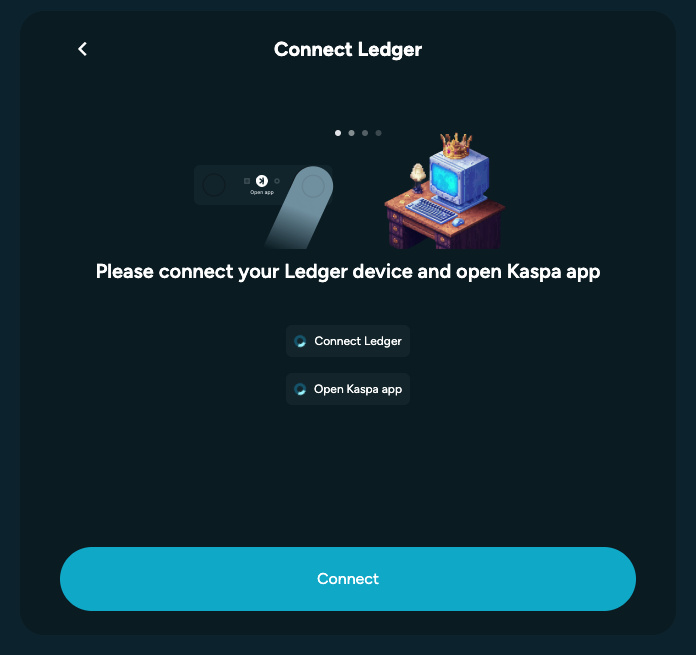
* Make sure it’s **unlocked** and the **Kaspa app** is **open** on the device.
**Open Kastle**
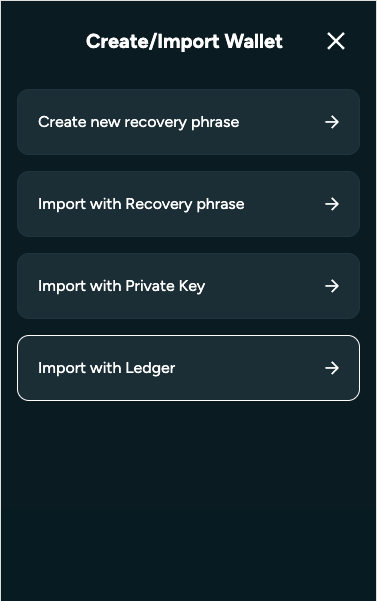
* In the **Kastle browser extension**, go to the **Account Management** page (top-left corner).
* Click the **“+”** button.
* Select **“Import with Ledger.”**
**Connect and Import**
* Click **“Connect”** in Kastle.
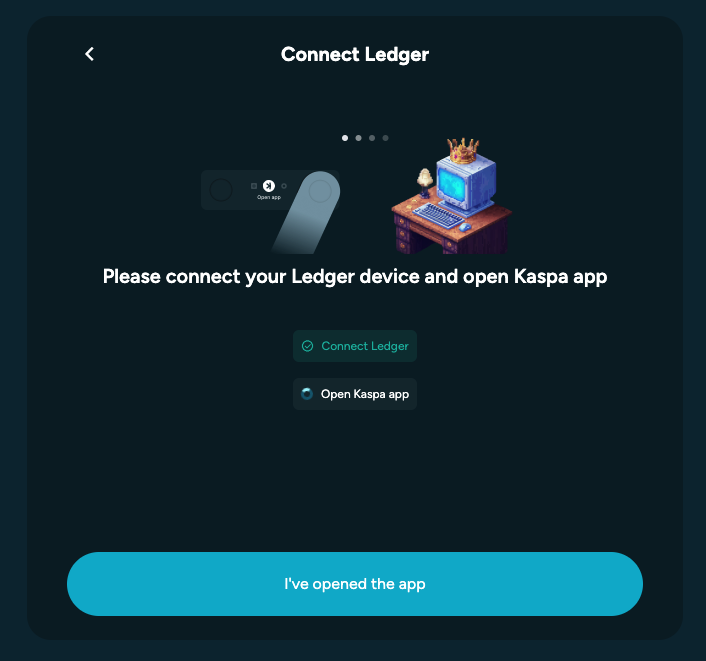
* On your Ledger, confirm that the Kaspa app is open, then click **“I’ve opened the app.”**
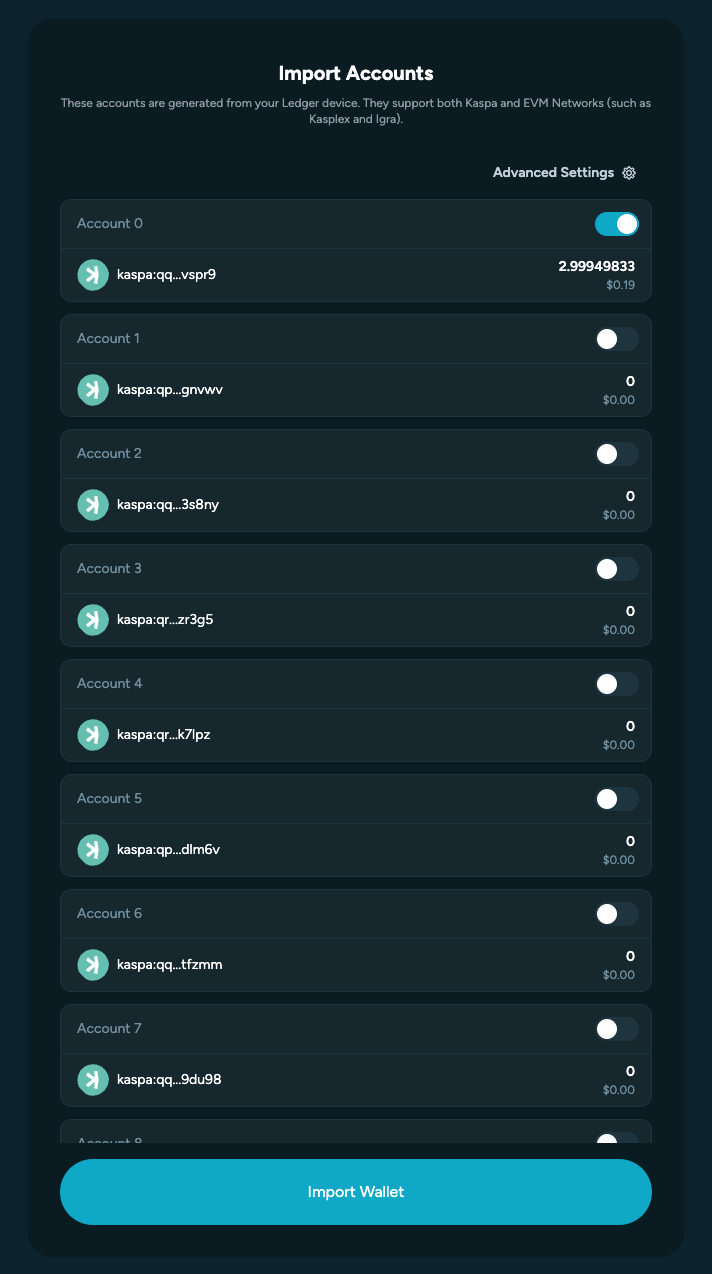
* Select the Ledger accounts you want to import then click **“Import Wallet.”**
**Finish Setup**
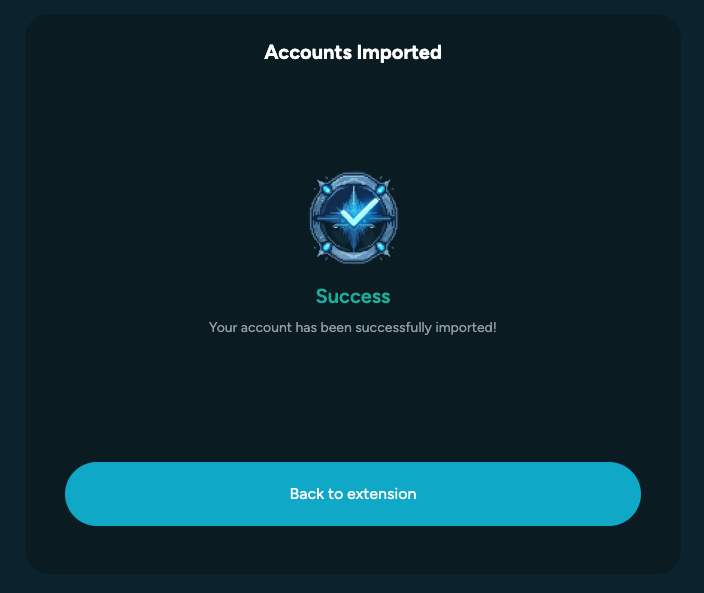
* Once the import is complete, you’ll see a success message.
* Click **“Go Back to Extension.”**
* Your **Ledger accounts** will now show up in your wallet and are ready to use.
***
#### 💡 Tips
* Keep your Ledger **firmware** and the **Kaspa app** up to date for smooth operation.
* Your private keys **never leave** the Ledger device — Kastle only reads public account information to display balances and sign transactions securely.
***
Perfect — here’s the **Troubleshooting Ledger Connection Issues** section written to follow directly under your Ledger guide.\
It matches the tone and structure of the rest of your Support Center content:
***
### 🧩 Troubleshooting Ledger Connection Issues
If you’re having trouble connecting your Ledger device to Kastle, try these fixes:
#### ⚠️ 1. Device Not Detected
* Ensure your **Ledger is unlocked** and the **Kaspa app** is open.
* Use a **different USB cable or port** — some only supply power, not data.
* If prompted, allow your **browser to grant USB access** to the Ledger.
#### 🧱 2. Browser Permissions
* Kastle works best in **Google Chrome** or **Brave**.
* Close **Ledger Live** before connecting, as it can block access.
* On macOS, you may need to **reconnect** your device after granting permissions.
#### 🔄 3. Outdated Kaspa App or Firmware
* Open **Ledger Live** and update your **firmware** and **Kaspa app** to the latest version.
* Reconnect your Ledger and reopen the Kaspa app before trying again.
#### 🧹 4. Reset the Connection
If issues persist:
1. Disconnect your Ledger and close Kastle.
2. Reopen your browser.
3. Reconnect your Ledger, open the Kaspa app, and retry **“Import with Ledger.”**
***
#### Still Having Issues?
If none of the above works, reach out on our [**Telegram Support Channel**](https://t.me/kastlewallet) and include:
* Your operating system and browser version
* Ledger model (Nano S, Nano X, etc.)
* Whether the Kaspa app is open and up to date
Our team will help you troubleshoot further.