> For the complete documentation index, see [llms.txt](https://docs.kastle.cc/llms.txt). Markdown versions of documentation pages are available by appending `.md` to page URLs; this page is available as [Markdown](https://docs.kastle.cc/kastle-wallet-help-center/wallet-operations/manage-krc20-tokens.md).
# Manage KRC20 Tokens
### What are KRC20?
**KRC-20** is the **token standard used on the Kaspa network**, introduced through the **Kasplex Protocol**.
It defines the rules and structure for creating **fungible tokens** — digital assets that are interchangeable, like traditional crypto (e.g., $KAS or $ETH).
With KRC-20, developers can build and deploy their own tokens directly on Kaspa’s Layer 1, using Kasplex’s efficient and scalable data insertion protocol. These tokens can represent anything from community coins and utility tokens to governance assets within decentralized applications.
[Kastle](https://kastle.cc/) fully supports **KRC-20 tokens**, allowing users to view, send, receive within the wallet.
### Access KRC20
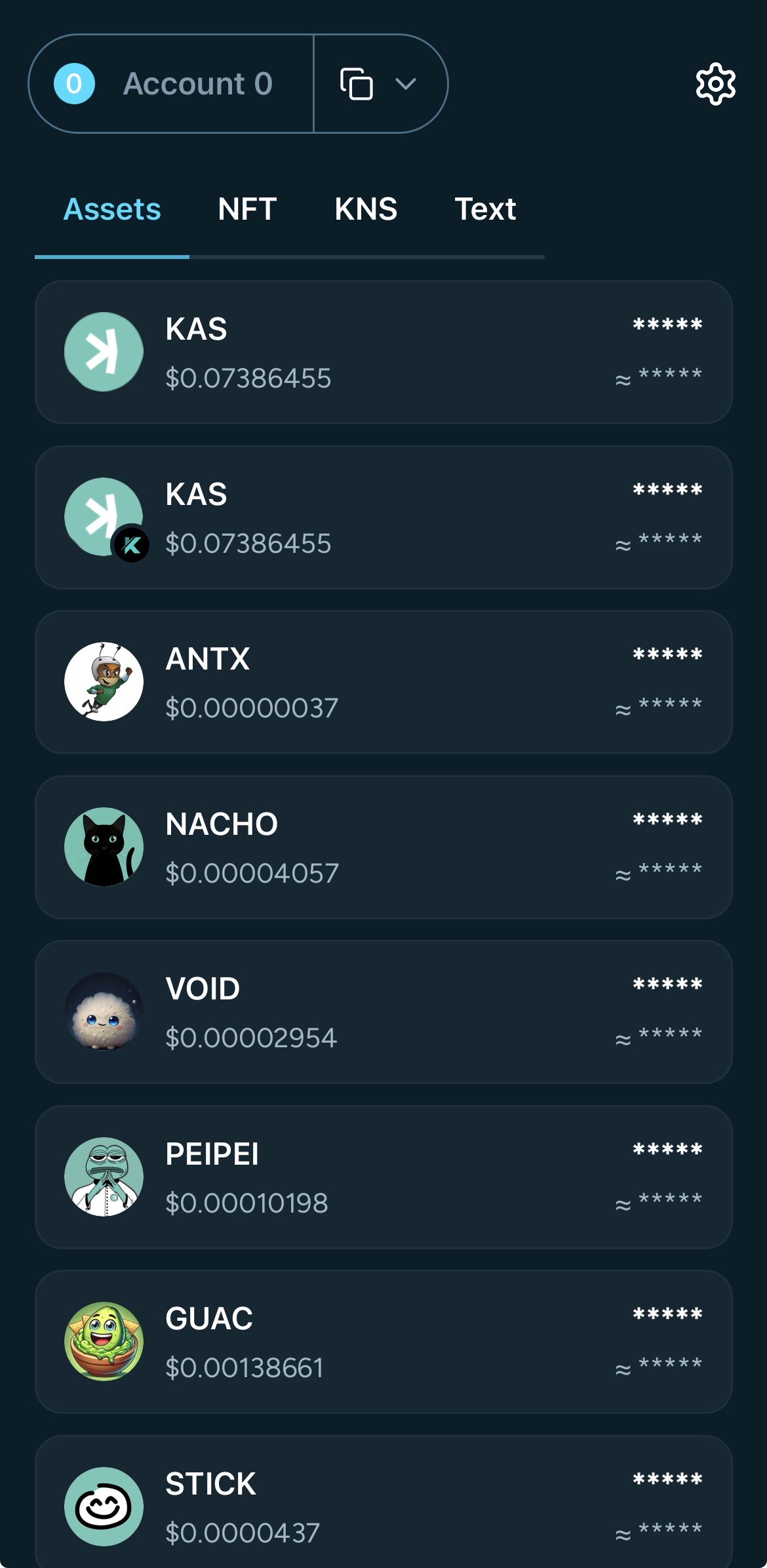
You can access your KRC20 tokens from the wallet dashboard by scrolling the 'Assets' category to view those you hold.
### Explore KRC20 Details
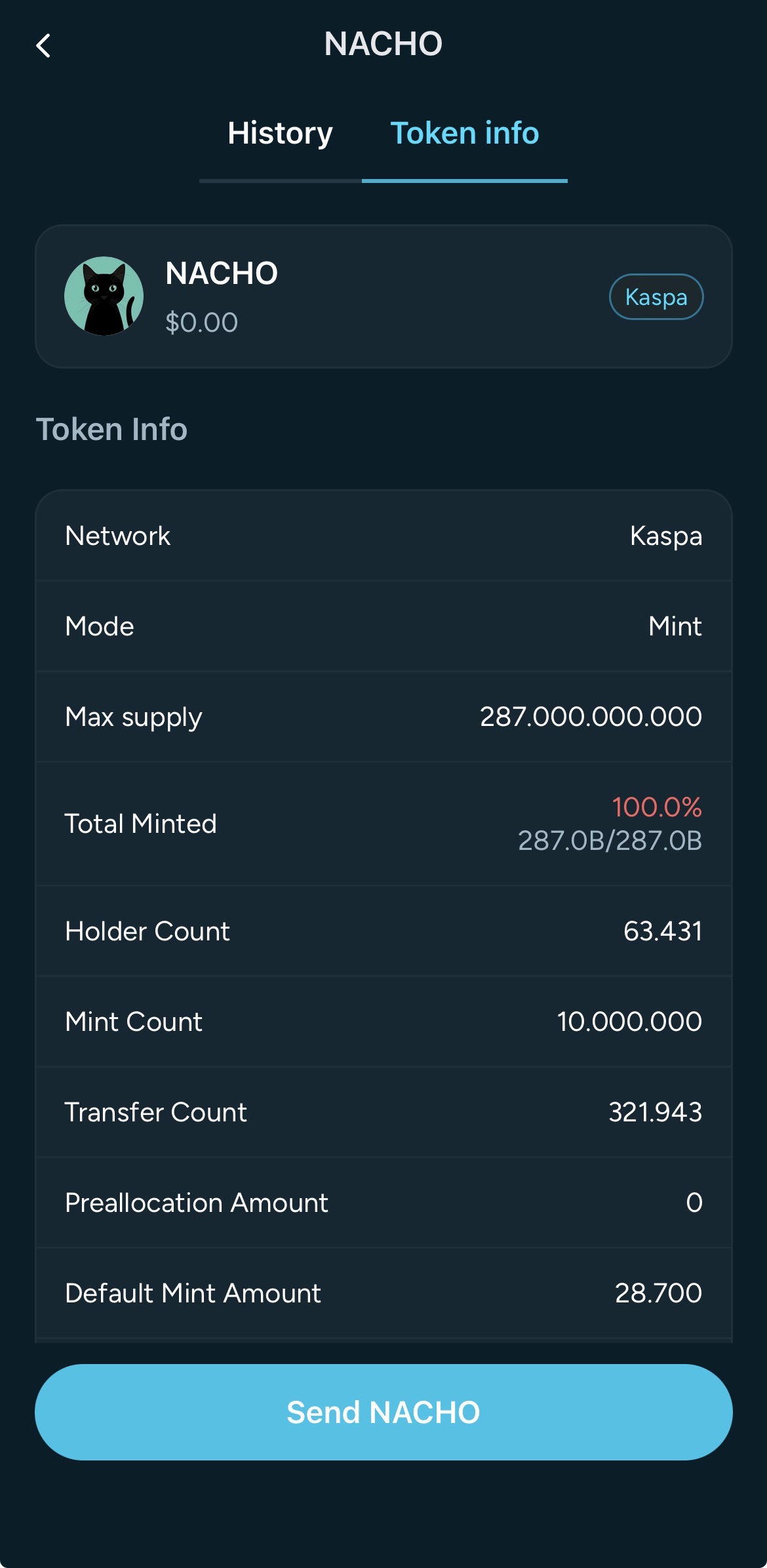
The **Token info** section in each KRC20 page lets you view detailed information about any of them.
This page provides transparent, real-time data about token activity, supply, and distribution so you can verify details before sending, receiving, or interacting with the token.
***
#### **Token Information Overview**
Each KRC-20 token page includes:
* **Network** – Indicates the blockchain the token runs on (e.g., *Kaspa*).
* **Mode** – Defines how the token was created, such as *Mint* or *Deploy*.
* **Max Supply** – The total number of tokens that can ever exist.
* **Total Minted** – Shows how much of the total supply has already been created.
* **Holder Count** – The number of unique wallet addresses currently holding the token.
* **Mint Count** – The total number of mint transactions that have occurred.
* **Transfer Count** – The total number of token transfers on the network.
* **Preallocation Amount** – Tokens reserved or pre-distributed during the initial creation.
* **Default Mint Amount** – The standard quantity of tokens minted in each transaction.
You’ll also see the token’s name, symbol, icon, and real-time value in the **Assets** section.
***
**Actions Available**
At the bottom of the page, you can quickly **send the token** using the *Send \[Token Name]* button — for example, *Send NACHO* — to transfer it to another Kaspa address.